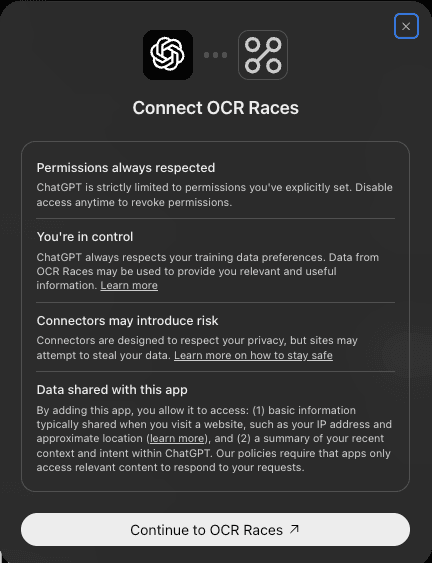
Connect OCR Races to Claude or ChatGPT
- Finds races and saves them to your list.
- Plans and reschedules your training in your calendar.
- Works in Claude on web, desktop and mobile (voice included) and in ChatGPT.
Connector URL
https://mcp.ocrraces.com/mcpNo token to copy and nothing to install. You sign in with a free account the first time.
Add to Claude
- 1
Open a new chat and click +
On claude.ai (web or desktop app), start a new chat and click the + at the left of the message box. Connectors are added on web or desktop; once added they sync to the iPhone and Android apps.

- 2
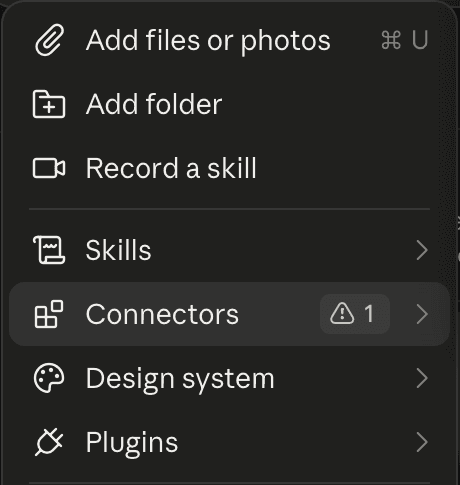
Choose Connectors
In the menu, pick Connectors.
- 3
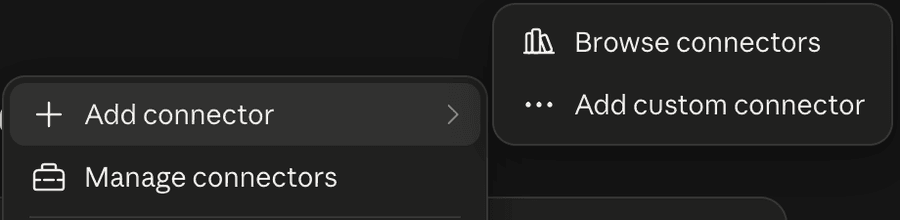
Add connector, then Add custom connector
Hover Add connector and pick Add custom connector from the submenu.
- 4
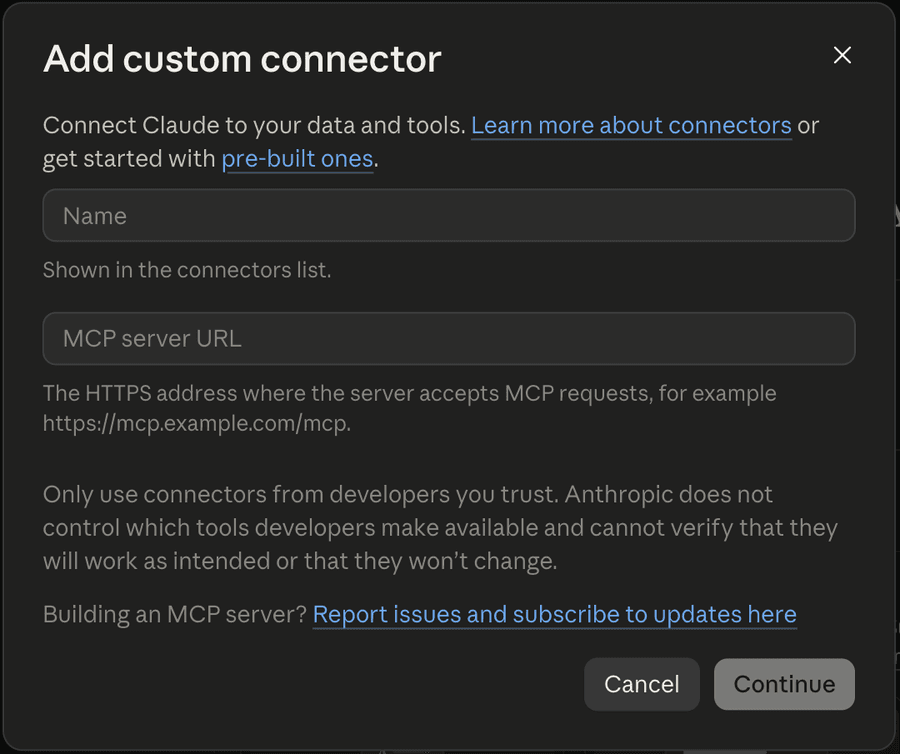
Name it and paste the link
Name: OCR Races. MCP server URL: the link above. Leave the advanced settings alone and click Continue. The Free plan includes one custom connector; paid plans have no limit.
- 5
Sign in and allow
Claude opens the OCR Races sign-in page on goalrace.com (OCR Races is a Goal Race site). Log in with a free account, review what Claude can do and click Allow. You are sent back to Claude and OCR Races shows in the connectors list, switched on.
- 6
Talk to it, on your phone too
Open Claude on any device, including voice mode on mobile, and try one of the prompts below.
Add to ChatGPT
- 1
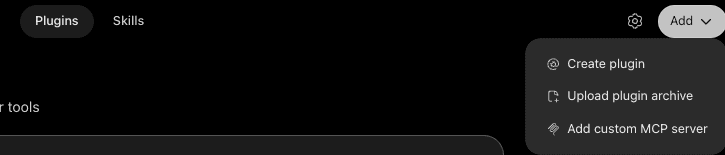
Open Plugins and click Add
On chatgpt.com, open Plugins in the sidebar. Click Add at the top right and pick Add custom MCP server.
- 2
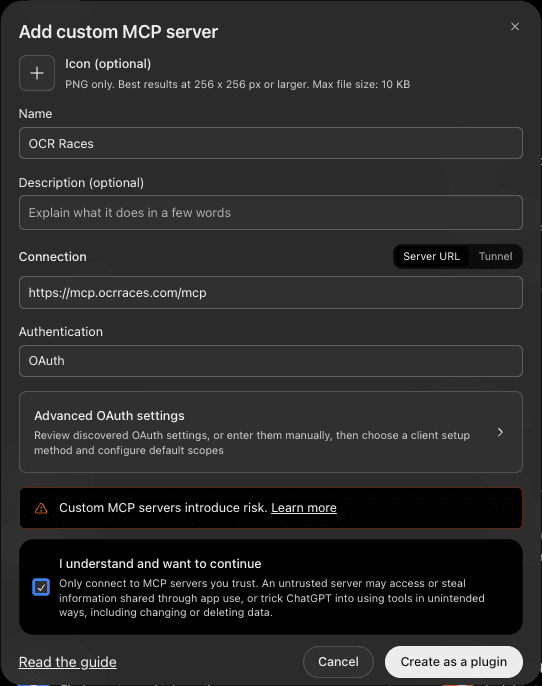
Name it and paste the link
Name: OCR Races. Server URL: the link above. Authentication: OAuth. Tick "I understand and want to continue" and click Create.
- 3
Connect and allow
Click Continue, log in with a free OCR Races account on goalrace.com (OCR Races is a Goal Race site) and click Allow. Then start a new chat and ask away.